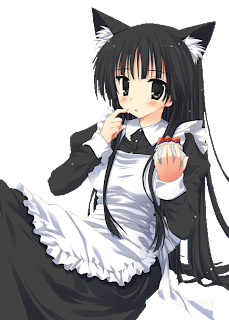
Your Mio for today, have I mentioned how much I like the Neko-Mimi?
I got a question in my e-mail on how I clean images. Why waste something I have already written? This is how I clean an image, I think there are better ways but I dont't know them.
I personally use fireworks as my tool of choice. Its free for 30 days from adobe https://www.adobe.com/cfusion/tdrc/index.cfm?product=fireworks&loc=en_us
This is just a personal preference any image editing software will most likely do.
Step 1 I resize the image usually about 2x, for slave maker thats 896 x 672, so it can be blown up but the key is not to try to clean an image greater then about 1000pix x 1000pix or you will be doing it for days. I learned this lesson cleaning Menace's cat suit image... 2 days later of cleaning, I resize every pic now.
- Some notes on image sizing for Slave Maker or my mistakes.
Note 1: going 448x336 the screen size in SM while good for file size, just looks bad if someone is playing in full screen. -- Learned from Menace
Note 2: not resizing all your images makes your slave much bigger then she needs to be. -- Learned from Orihime
Step 2 save the file as a .png file this is a file format that has transparency. Big warning Jpgs don't and you will be just wasting your time, and then you will have to clean it again. Not like I have ever had to do that. <.< >.>
Step 3 blow the image up to about 1600x and using the eraser tool start cleaning it pixel by pixel. I usually clean everything i can with a big brush and then using about a 3 pixel brush clean the edges.
An hour or 2 later and you have a cleaned image. Its time consuming and boring. Good luck.
_______________________
If anyone knows a good site that will host nude pictures please give me a ring.
________________________
Ichibukai sent me in the new bad ends for Menace, they are very good. I really like the one for the Sphinx, he captured my favorite original character perfectly. Should have an updated version of Menace out on Wednesday or Thursday.
Daisy


